Image Resizer Tool — Multiple sizes export (Browser + App)
Image Resizer — Tasifji
Resize your images quickly and easily with Tasifji Image Resizer. Simple interface, instant results, and optimized for SEO and AdSense compliance.
What is this tool?
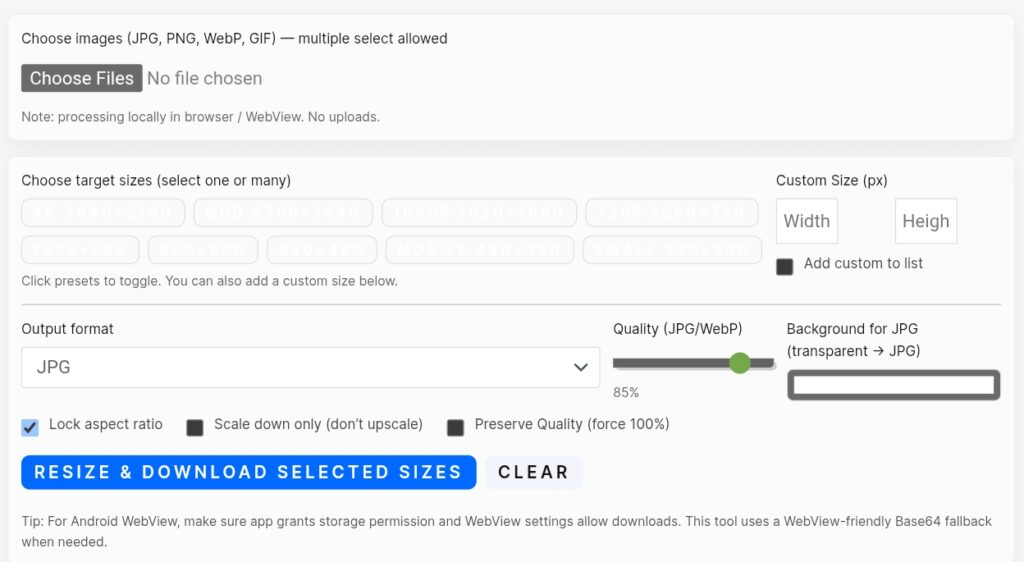
The Image Resizer is a browser-based tool that allows you to change the dimensions of your pictures effortlessly. Just upload your image, select new size (in pixels or percentage), and download instantly — no software installation required.
How It Works
- Upload: Supports common image formats such as JPG, PNG, and GIF.
- Choose Size: Enter width × height (px), select a percentage (%), or pick a predefined social media size.
- Resampling: The tool resamples pixel data to create a new dimension — reducing size typically maintains image quality.
- Download: Choose the file format and download your resized image instantly.
Key Features
Get resized images in just a few clicks.
No technical knowledge required — simple and intuitive design.
Supports common file types like JPG, PNG, and GIF.
Optimized images improve website load speed and SEO ranking.
Best Practices
- Maintain aspect ratio — altering it can distort your image.
- Use compressed JPG or WebP for faster web performance.
- Give descriptive filenames (e.g., product-shoe-front.jpg) for better SEO.
- Ensure you have permission to use all images — avoid copyrighted material.
SEO & AdSense Optimization
Properly optimized and resized images improve your website’s load speed and user experience, helping your site perform better with AdSense. Avoid uploading copyrighted or restricted content to stay compliant with Google’s policies.