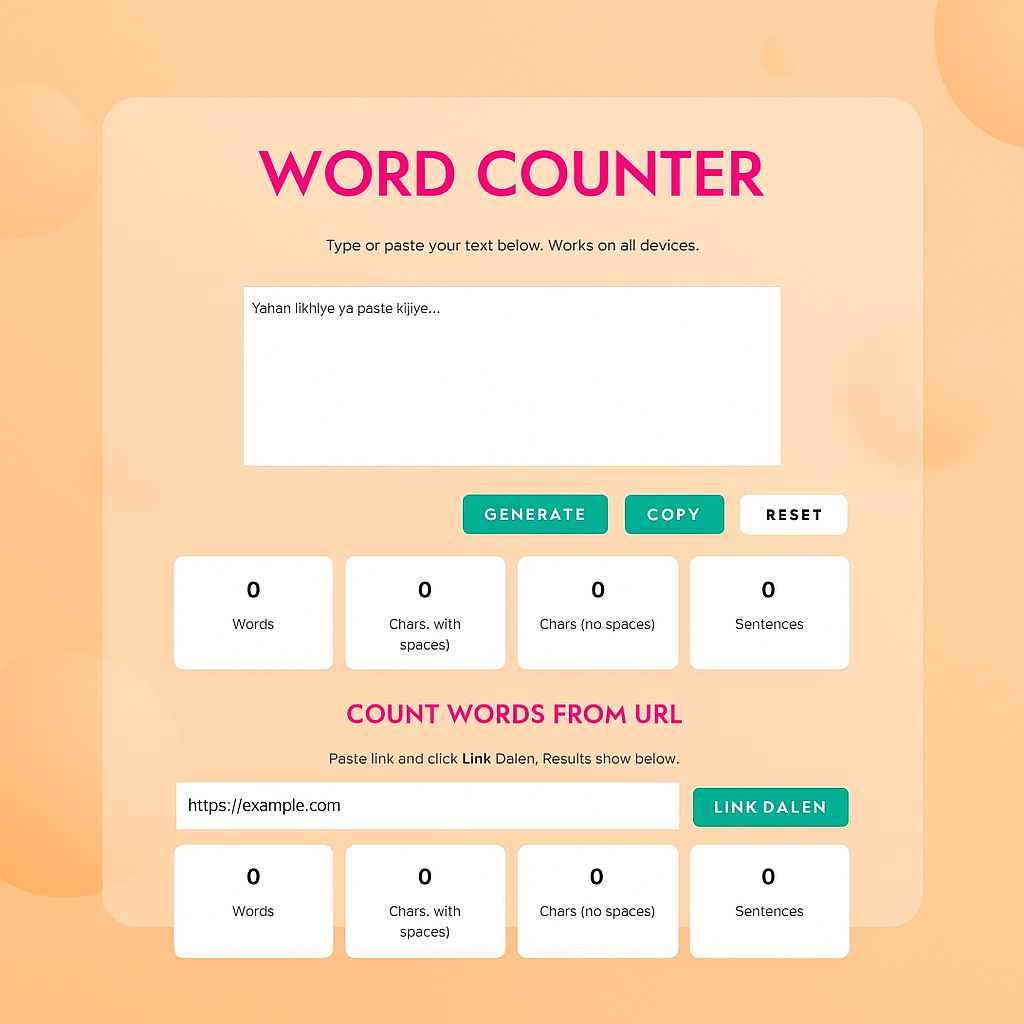
Word Counter
Count Words from URL
Word Counter Tool Documentation
Complete guide to using the Word Counter tool for text analysis and content optimization
What is the Word Counter Tool?
The Word Counter is a free online tool that helps you count words, characters, sentences, and other text elements. This tool is designed for writers, students, professionals, and anyone who needs to analyze text content quickly and accurately.
Key Benefit: Our tool works completely in your browser. Your text never leaves your computer, ensuring complete privacy and security for your content.
How to Use the Text Counter Feature
Click on the text area and start typing your content. You can also paste text from another source such as a document, website, or email.
As you type, the word count, character count, and sentence count will update automatically. There is no need to click any button to see the results.
- Generate Button: Manually refresh the counts if needed
- Copy Button: Copy your text to clipboard with one click
- Reset Button: Clear the text area and start fresh
How to Use the URL Counter Feature
In the URL counter section, type or paste the full web address of the page you want to analyze. Make sure to include the full URL starting with http:// or https://.
Our tool will fetch the webpage content, remove all HTML code, and extract only the readable text for analysis.
View the word count, character count, and sentence count of the webpage content. This feature is perfect for content analysis and SEO optimization.
What Each Counter Measures
Counts every word separated by spaces. For example, the phrase “Hello world” counts as 2 words. This counter uses advanced algorithms to accurately identify word boundaries.
Counts every single character in your text, including letters, numbers, punctuation marks, and spaces. This is useful for understanding the total length of your text.
Counts only the visible characters, excluding all spaces. This measurement is particularly useful for platforms with character limitations where spaces count against the limit.
Counts complete sentences that end with standard punctuation marks like period (.), exclamation point (!), or question mark (?). The tool identifies sentence boundaries using advanced pattern recognition.
Common Use Cases for Word Counter
Check essay length requirements, count words in assignments, ensure compliance with academic guidelines, and track writing progress for research papers and theses.
Optimize article length for SEO, track writing progress, maintain consistent content length across blog posts, and ensure content meets publisher requirements.
Ensure posts fit within platform character limits for Twitter, Facebook, Instagram, and LinkedIn. Maximize engagement while staying within technical constraints.
Analyze competitor content length, optimize meta descriptions, improve content strategy based on word count analysis, and ensure content meets SEO best practices.
Track translation progress, estimate project completion times, and ensure translated content matches the length requirements of the original text.
Technical Implementation Details
The Word Counter uses advanced JavaScript algorithms to provide accurate counts in real-time:
- Word Counting Algorithm: Splits text by whitespace and counts the resulting segments while handling edge cases like hyphenated words
- Character Counting Method: Uses string length properties for accurate character counts in multiple languages
- Sentence Detection System: Identifies sentence boundaries using punctuation patterns and contextual analysis
- URL Processing Technology: Employs multiple proxy servers to bypass CORS restrictions and extract clean text from web pages
Best Practices for Accurate Results
- For most accurate word counts, ensure proper spacing between words and sentences
- Use the URL counter to analyze competitor websites and inform your content strategy
- Bookmark the tool for quick access during writing and editing sessions
- The tool works offline after initial page load, making it perfect for unreliable internet connections
- Clear formatting from copied text before pasting for the most accurate counts
Frequently Asked Questions
No, the Word Counter processes your text entirely in your browser. Your content never leaves your computer, ensuring complete privacy and security.
The Word Counter works with all languages that use standard word separation with spaces. This includes English, Spanish, French, German, and many other languages.
Yes, the Word Counter is fully responsive and works perfectly on all mobile devices, tablets, and desktop computers.
The sentence counting is highly accurate for standard text. It correctly identifies sentences ending with periods, question marks, and exclamation points.